Automatic card data and optional sensors
The F1 Sensor card gets data automatically for the modules you add. You can use it without the corresponding data sensors. There is no card-data checklist in the integration settings.
Choose modules and sensors independently
Choose the modules you want in the card editor. F1 Sensor shares their data sources and caches across cards and Home Assistant sensors.
Use Settings → Devices & services → F1 Sensor → Configure → Enabled sensors to choose the entities you want in Home Assistant. These choices serve automations, templates, standard cards and older F1 cards. They do not limit data available to the modular card.
New installations retain the existing default sensor selection. Existing installations keep their sensor choices after updating. You can optionally keep a small selection such as Race week, session status, track status, Safety car and race lap count.
Keep automation entities
Keep every entity used by an automation, template or older dashboard card selected. Direct card data does not recreate a removed entity. Standard entity IDs in the documentation are examples: use your actual registry IDs.
Disabling an entity in Home Assistant preserves its registry metadata. Removing it through the integration's sensor selection can remove its registry entry. Recreating it later may change a custom name or entity ID. A review lists removed sensors and requires confirmation before saving a reduced selection.
Collection follows need
Static sources fetch when an active sensor or card module needs them and reuse the existing caches. Several cards share the same sources. Closing the last card releases its on-demand listeners when no other consumer needs them.
Necessary session history, including timing, Race Control and Team Radio, continues collecting within the integration's existing session windows when live timing is enabled. You can open the dashboard later without making a separate data selection. Data that the source never supplied cannot be reconstructed.
Availability and protection
Live data requires live timing to be enabled. Authenticated features require valid F1TV access. Choosing a module never turns these settings on automatically. See Data availability.
No Spoiler Mode, Live Delay and replay rules apply to direct data too. When data is blocked or unavailable, the card does not silently read an old sensor value instead.
Updating an existing installation
Updates start normally with your existing sensor choices. A dismissible one-time notification explains automatic card data and the optional sensor settings. No configuration choice is required. See Upgrading to automatic card data.
Data without standings sensors
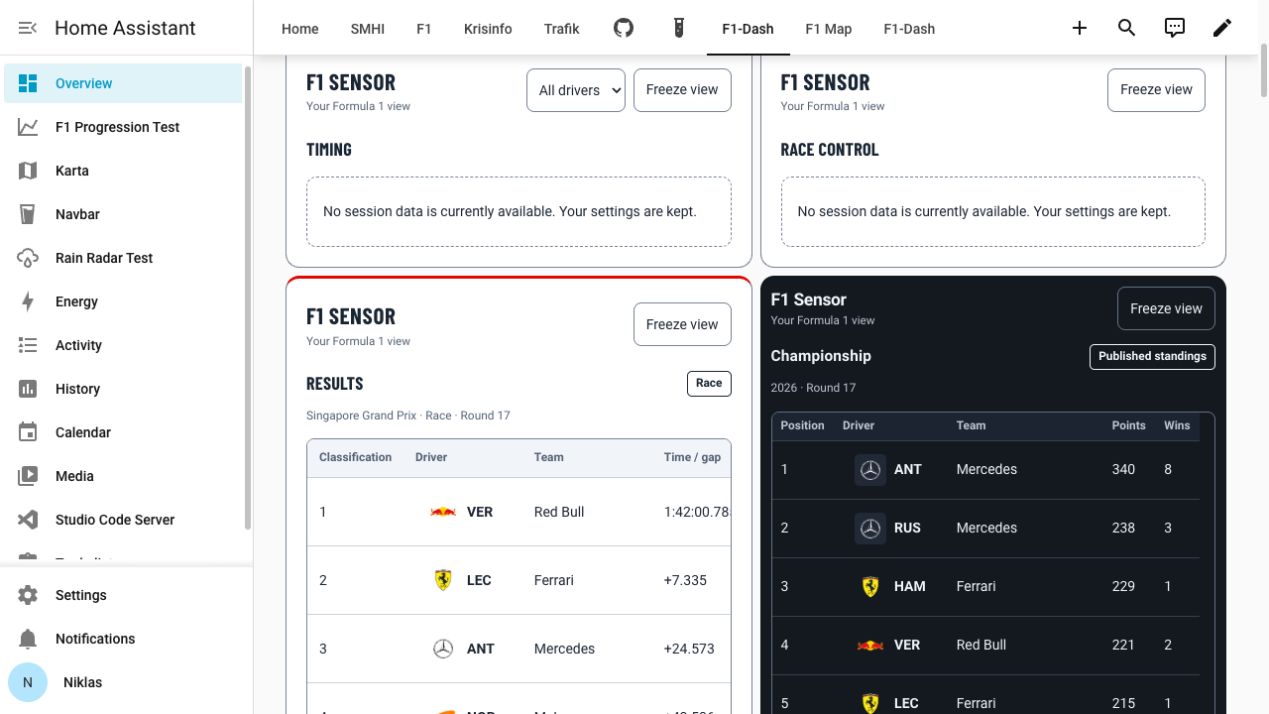
The development instance below displays published driver standings while both standings sensors are disabled in Home Assistant and absent from its state machine. The constructor preview uses Actual data under the same conditions.